Most requested
Sprint and Kanban Boards
Backlogs, sprints, estimates and velocity for the teams that work that way — without forcing the rest of the company to.
Custom Project & Work Management Software
Most teams don't need another task list. They need the parts a generic tool can't do: their approval chain, their billing rules, permissions that let a contractor see one project and nothing else, and the monthly report someone currently rebuilds by hand. We build work management software for those cases — and we'll say when configuring what you already own is the cheaper answer.

Buy, Configure, or Build
Off-the-shelf project tools handle the common case well, and for plenty of teams that is the end of it. The trouble starts at the edges: a workflow that has to branch on cost, a client who needs their own view but not your margins, a schedule that has to respect who is qualified to do what, a report finance needs every month that nobody can produce without exporting to a spreadsheet first.
That is the point where building starts to beat configuring — not because the tool is bad, but because you are paying per seat to fight it and the workarounds have quietly become the process. We build around your real delivery model: your statuses, your approval chain, your billing rules, your permission structure, and integrations that keep everything in step with the systems you are keeping.
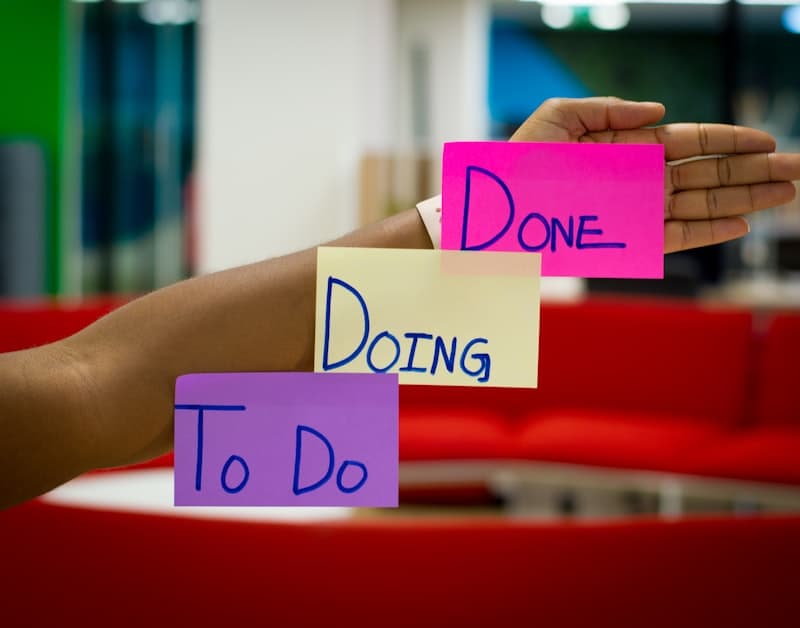
Inside the platform
What We Build
Six areas of work. The first conversation is usually about which of them you genuinely need built, and which you should keep buying.
A workspace built around your delivery model instead of a generic one bent into shape: your object model — projects, jobs, matters, sites, whatever you actually call them — your statuses, your fields, and the rules that decide what can move where. Usually replacing one paid tool plus several spreadsheets nobody owns.
Assignments, hand-offs, escalations, sign-offs and the notifications around them, driven by rules your own admins can change without us. The valuable part is the exceptions: what happens when an approver is on leave, when a stage is skipped, when someone reopens work that has already been invoiced.
This is where generic tools most often run out. Roles per project rather than per account, field-level visibility so a subcontractor sees the schedule but not the rates, client users scoped to one workspace, approval rights that differ from edit rights, and a history of who changed what and when.
Dependencies, milestones, critical path and baseline against actual, plus the capacity view that shows who is over-committed before the month starts rather than after. Modelled on how your work is really estimated — by hours, by day rate, by crew, by equipment — not on a template.
Comments, mentions, files and decisions attached to the thing they concern, so the reasoning is still findable six months later. Plus email and chat integration, because the people who refuse to live in another tab still need to be part of the record.
Reports are usually the real reason a team leaves its old tool. We build the ones your business is judged on — utilization, margin per project, work in progress, forecast against plan, whatever a client contract obliges you to produce — with figures that reconcile against finance and exports someone can defend in a meeting.
What We Deliver
Few teams need all nine. We would rather ship five that get used every day than nine that get demoed once.
Backlogs, sprints, estimates and velocity for the teams that work that way — without forcing the rest of the company to.
Drag-and-drop stages with work-in-progress limits and rules that stop a card moving on before its prerequisites are met.
Timesheets people will actually fill in, expense capture, and a clean route from logged hours to an invoice finance accepts.
Who is assigned to what, who is over-committed, and what happens to the plan when someone is off — across projects, not one at a time.
A separate surface where clients see progress, approve work and raise requests, without access to your internal boards or your costs.
Budget against actual, committed spend, change orders and forecast — kept close enough to your accounting system that the two agree.
Files attached to the work rather than a shared drive, with versions, approvals and a record of what the client actually signed off.
Different views for the person doing the work, the person running the project and the person paying for it — each showing what they can act on.
Apps for people who are not at a desk: capture on site, work offline, sync when there is signal. Often the difference between real data and data reconstructed on Friday.
How We Work
Custom project software fails for unglamorous reasons: the migration is half-done, the permissions are wrong, or the reports do not tie out. So that is where the effort goes.
We start by watching how work moves today, including the spreadsheet and the group chat that are quietly load-bearing. What gets built has to fit that reality before it improves on it — a system that ignores the informal steps just gets worked around again.
You are not replacing everything. We connect what stays — chat, calendars, source control, CRM, accounting — with two-way sync where it genuinely matters, and a documented API so the next integration is not another project.
Role and field-level access, client and contractor scoping, an audit history, and data retention designed to support the obligations you work under. Which obligations apply, and how they are evidenced, is scoped with you per engagement rather than assumed.
A tool people avoid is worse than the spreadsheet it replaced. So the daily paths are short, empty states explain themselves, bulk edits exist, the keyboard works, and the first release goes to a small group with their real data before anyone rolls it out widely.
Moving a team off a tool they live in is the risky part: exporting history, mapping statuses and custom fields, agreeing what does not come across, then running both in parallel until people stop going back. We plan that at the start, and stay on afterwards for the fixes and features you only find in use.
Send us the workarounds — the spreadsheet, the shared inbox, the report someone rebuilds by hand every month. That is usually enough for us to say whether this is a configuration job, a small build or a real platform, and what the migration would involve.
Talk to an engineerA partner badge is granted, not claimed. These came from Odoo.
The problem, who it's for, and where you are now. That's enough for us to come back with something useful.
hello@aryavos.com
HQ
Noida, India & New York, USA
What happens after you send it
A developer reads it, not an auto-responder. Expect questions about scope and constraints first, then a suggested way to start.